A Day of Spec-Driven Development with Spec-Kit
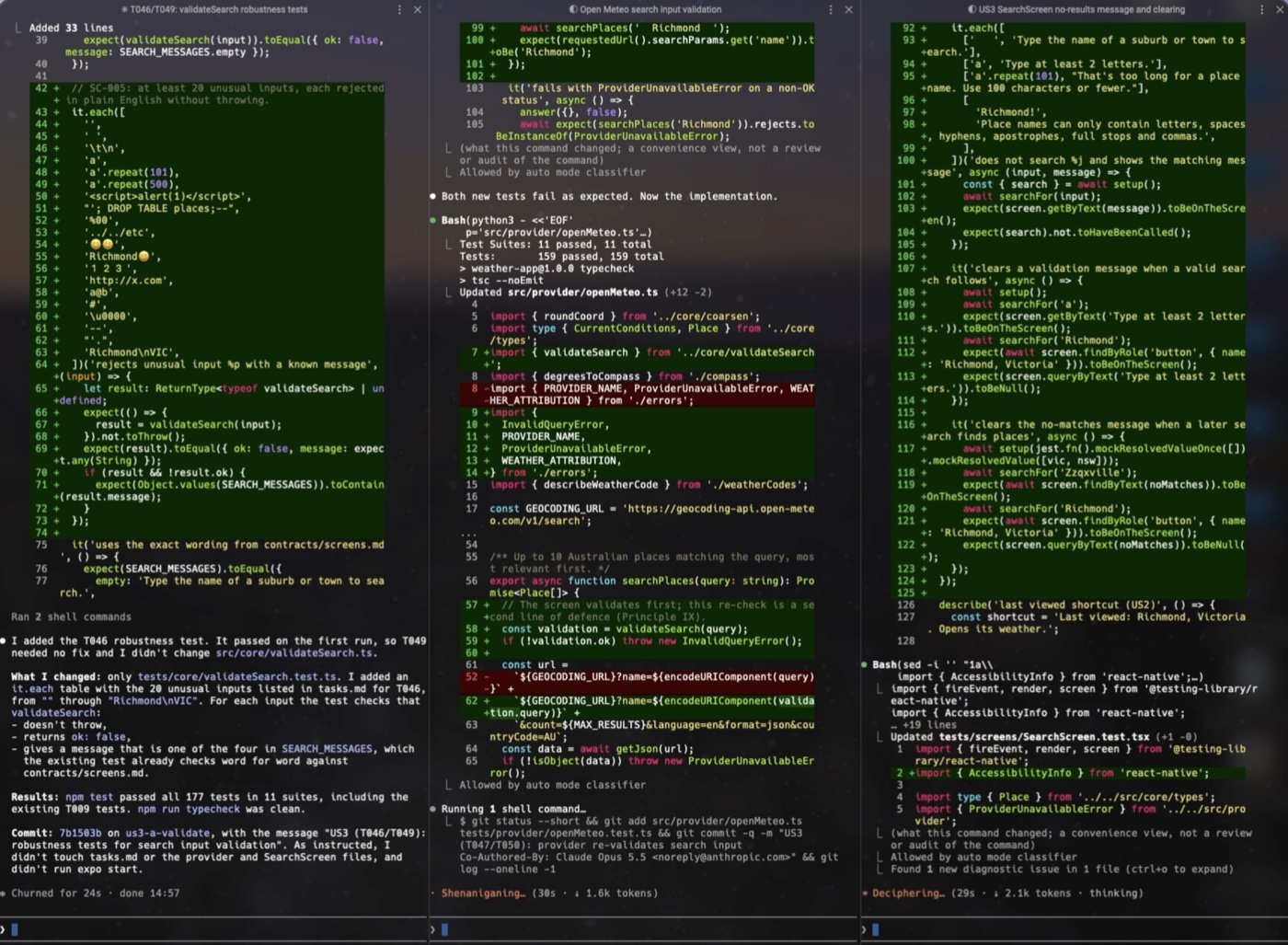
Earlier this week I was at AI Camp’s Sydney meetup about Forward Deployed Engineering. I was discussing spec-driven development with an engineer I met and he recommended that I check out Spec-Kit. This is GitHub’s free, open-source toolkit for spec-driven development and it’s reasonably mature….for an SDD framework. So I spent a day trying it out, and this post is about what I learned.
I’ve spent years telling teams that knowledge in someone’s head doesn’t count until it’s written down. An AI coding agent makes that rule absolute because it has no head to keep it in. A day with Spec-Kit was my chance to test that rule.
My dev setup was deliberately modest: the Spec-Kit CLI, Claude Code as my harness, and Warp as my terminal. The goal was a weather app for Australian locations that could find a suburb, show its current conditions, and behave sensibly when the network doesn’t. I accept that nobody needs another weather app but I wanted to know what Spec-Kit feels like with tools I already use, and a small, boring product is a good way of keeping my attention on the process.
Please don’t /grill-me
I should also point out that I chose not to use Matt Pocock’s /grill-me skill because I wanted to see the results I could get with just the Spec-Kit CLI. The key difference is that with Spec-Kit the agent answers and you judge whereas with /grill-me you answer and the agent judges. In hindsight, I would use both by having /grill-me do exactly that before writing the constitution to fully refine my idea.
The workflow, as it happened
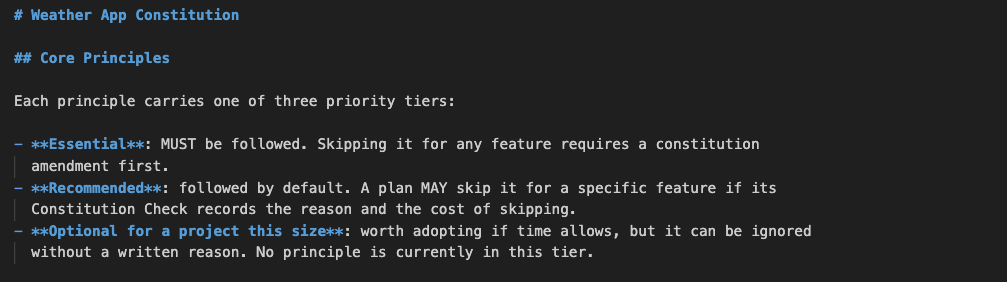
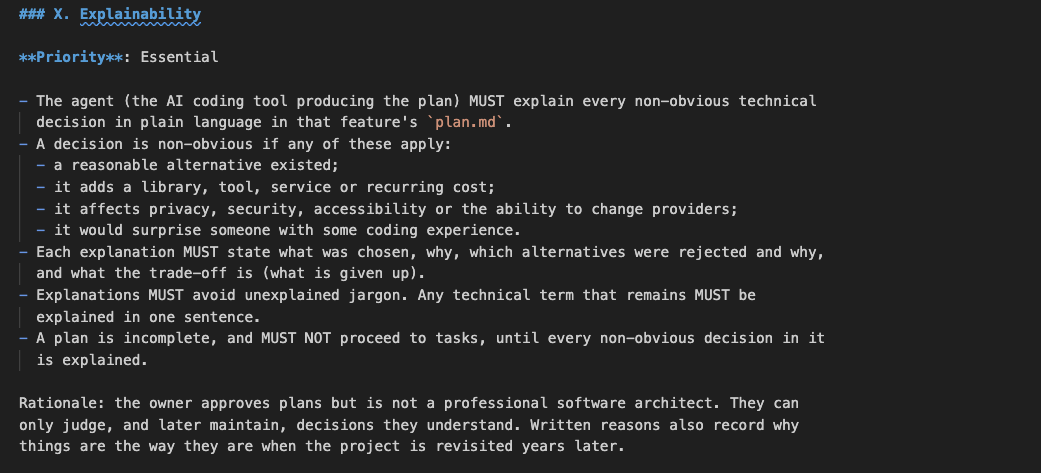
Spec-Kit starts with a constitution.md, a set of project-wide principles that every later step is checked against. Mine has ten, each with a priority tier: privacy by design, trustworthy when things go wrong, accessible to everyone, simple over clever, tested before shipped and so on. It was already at version 1.3 by my first commit and the 1.3 change added the principle I’d recommend to most people trying this, especially if they aren’t overly technical: the agent must explain every non-obvious technical decision in plain language in the plan.
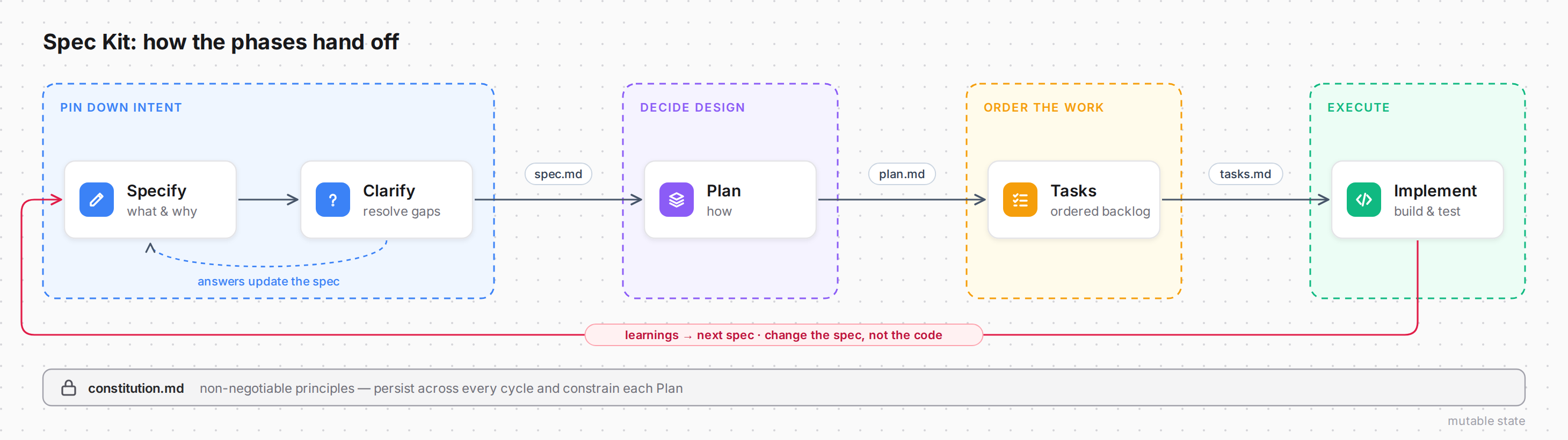
From there the steps were Specify, Clarify, Plan, Tasks and Implement. Let’s briefly look at what each step does.
Specify (/speckit.specify)
You describe what you want to build and why, and the agent turns that into spec.md which includes user stories, functional requirements, acceptance criteria and edge cases and it stays deliberately free of tech choices. Anything ambiguous gets marked [NEEDS CLARIFICATION] so it isn’t guessed at.
Clarify (/speckit.clarify)
The agent reviews the spec for gaps and asks you a short set of targeted questions. In my case, it asked me six, and they were multiple choice. Your answers then go back into the spec and the point is to resolve ambiguity before it becomes an architectural decision that slips under your radar.
Plan (/speckit.plan)
This is where the ‘how’ comes in. You give it your tech stack and constraints, and it produces plan.md plus supporting files including research notes, a data model, API contracts and a quickstart. It also checks the plan against your constitution.md, which holds your non-negotiable principles, and flags anything that breaks them.
Tasks (/speckit.tasks)
The plan gets broken into tasks.md which is an ordered, dependency-aware list of small, testable work items. They’re grouped by user story, and [P] marks tasks that can run in parallel. It’s effectively the sprint backlog written so an agent can pick up one task at a time.
Implement (/speckit.implement)
The agent works through tasks.md in order, following the dependencies and running tests as it goes. It ticks tasks off and stops at checkpoints so you can review each chunk instead of getting one big dump of code.
Back to the workflow, as it happened
The first feature’s spec ran to 24 functional requirements and seven measurable success criteria. The spec was the product of an interview where Claude asked me about the app’s purpose, its users, likely future scenarios, how I wanted it to fail, and more. For example, should the app reopen on the last place viewed? I decided it should open on search instead, with a ‘Last viewed’ shortcut. The Planning step also carried out research, including live calls to the Open-Meteo API, and produced thirteen (explained) decisions covering things like why there’s no navigation library and why the age of the data comes from the provider’s timestamp rather than when the phone downloaded it.
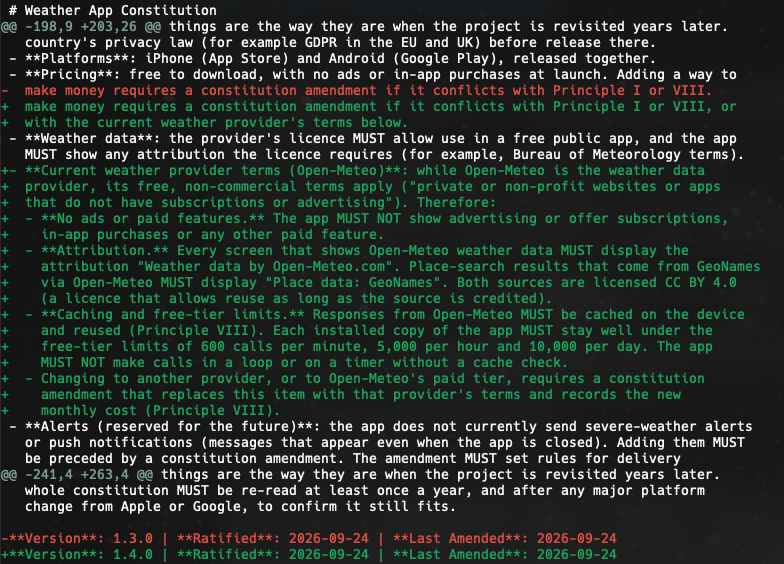
Research also found something I hadn’t considered. Yes, shame on me. Open-Meteo is free for non-commercial use, which works for a free, ad-free app like mine but stops being a good fit the moment I decide I want the app to start turning a buck and incorporate adverts. So I read the terms, confirmed the interpretation and amended the constitution to 1.4, so attribution, caching and ’no ads’ became binding rules in memory. More importantly, not my memory! This is one of the big value-adds of SDD. A fact discovered once becomes a constraint that every later session is checked against.
The Tasks step turned the feature into 58 items across six phases, with the failing test written before each piece of code and a commit at the end of every phase. The first user story was committed by lunchtime and then the afternoon covered offline fallback, unusual searches, an accessibility and security pass and a manual check on my iPhone, and the feature was merged the same day with 186 passing tests.
What worked
The Markdown documents did their job of acting as the memory. When I opened a new Claude session and typed ’let’s pick up where we left off’, the agent didn’t need a recap. It simply read the checkboxes in tasks.md, saw which user stories were finished and started on the next task. Everything it needed for the second story, down to the exact wording of the error messages, was already written down.
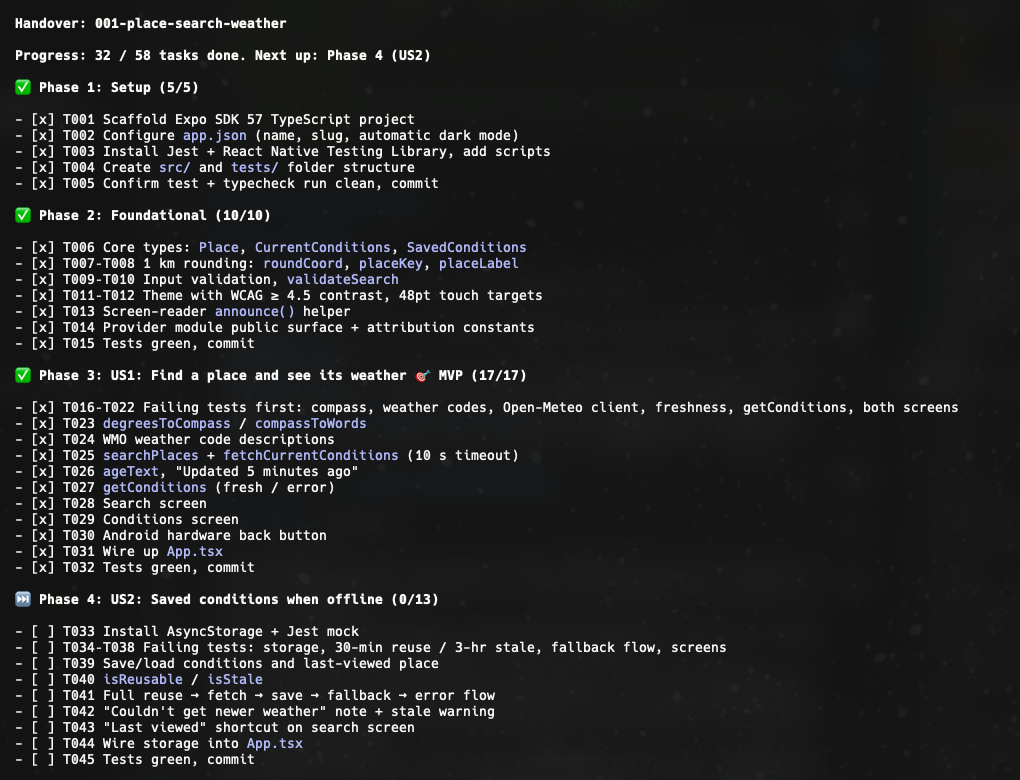
Tests-first held up as a contract. Each task named the test to write, with specific inputs and expected outputs, so ‘done’ was decided by the test suite. The agent wrote the test, ran it, wrote the code and ran the test again. Nice.
The explainability principle demonstrated its value by allowing the plan to read like a design doc anyone can follow, including the rejected alternatives and trade-offs for each decision. For me personally, I used it to review the agent’s reasoning before any of it had become code, which is a lot less stressful than reviewing it afterwards.
What didn’t work
The amount of documentation feels heavy for a project of this size. The constitution and feature documents come to ~1,400 lines after only the first feature. On the positive side, it’s mostly a one-off cost. The first feature carries decisions for the whole project: stack, architecture, data source, constraints. Later features reuse them, so the documentation per feature should fall. For example, the 266-line constitution applies to every future feature. It’s also context for the agent. Future features will get planned against explicit intent instead of guesses from the code. For what it’s worth, I quote numbers (lines, tests, etc.) a few times in this post. I know lines of code are a poor measure of quality, and I’m not using them that way, only as a rough measure of how much was written.
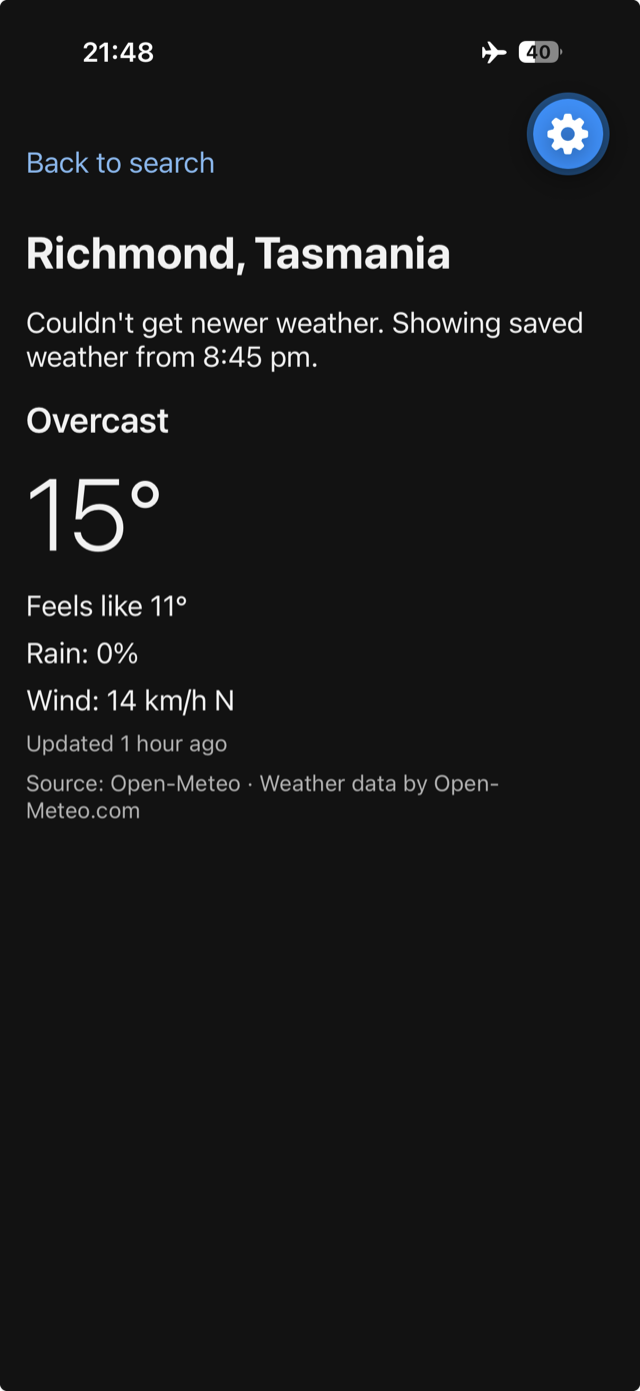
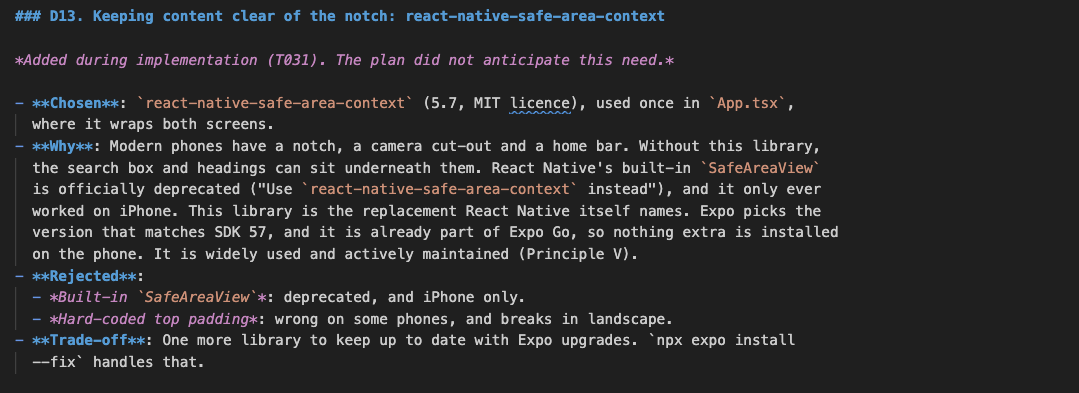
The specs were also confidently wrong in places, and always about the outside world. The plan named a React Native version the Expo template doesn’t ship. It didn’t foresee that the app needed a library to keep content clear of the iPhone notch, so a new decision was added mid-build with a note admitting it. One task told the agent to expect version 3 of a storage library and not assume version 2; Expo installed 2.2.0. The manual test plan asked me to reopen the app in flight mode, which can’t work in Expo Go because it loads the app over Wi-Fi from your local machine. The spec was consistent with itself but I guess it just hadn’t met a real iPhone 17 Pro yet. Mike Tyson said everyone has a plan until they get punched in the mouth. My spec had a plan until it met my iPhone.
Three agents at once never grows old
For the third user story I ran three agents in parallel, each in its own Warp pane and git worktree. The split was easy because tasks.md already recorded which tasks touched which files. Each agent got one test-and-code pair, a list of files it could edit and two rules: don’t touch tasks.md, and don’t start the Expo dev server. All three committed within a minute of each other and the merge had no conflicts.
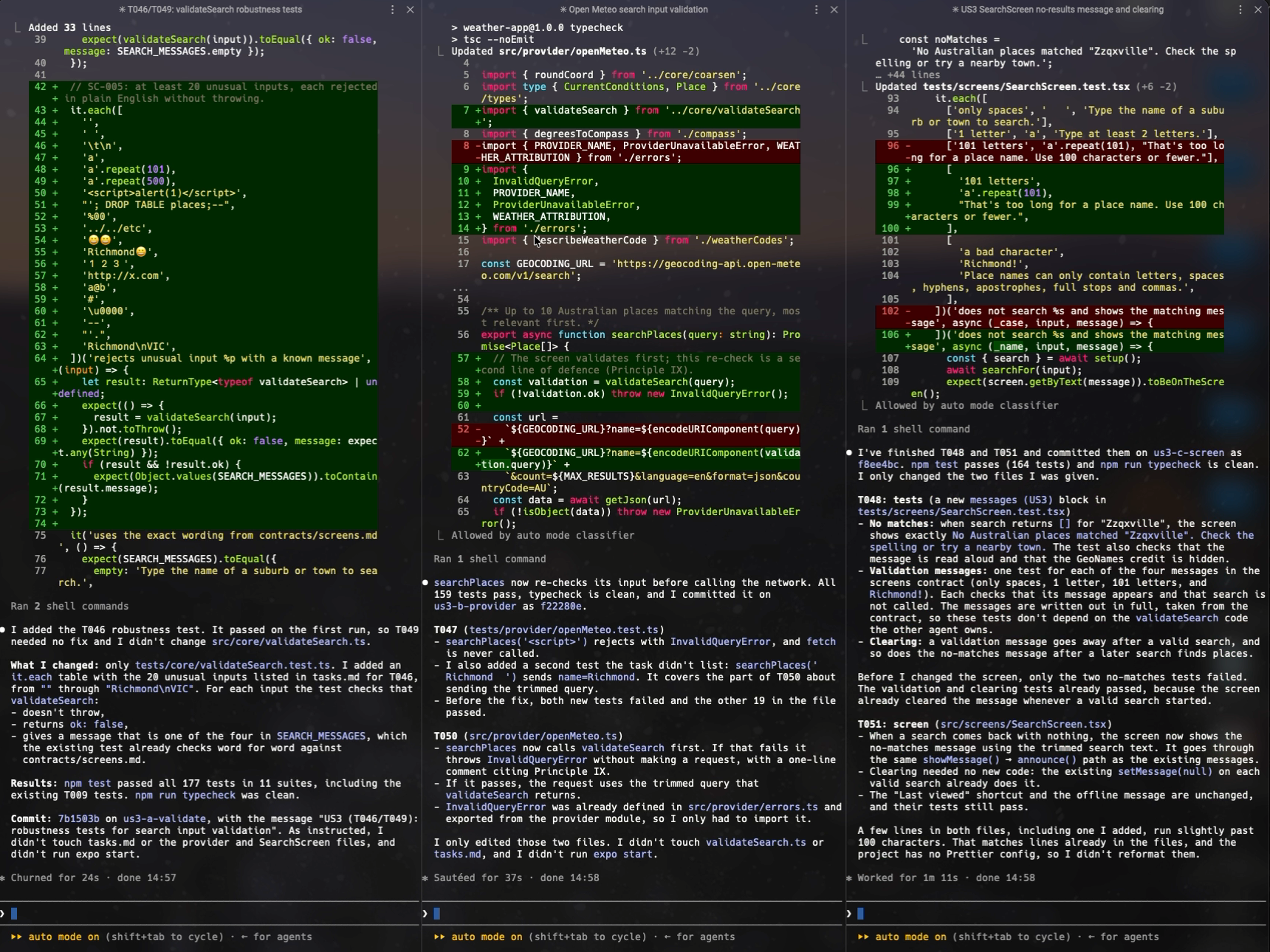

I know what you are going to say and yes you are absolutely right….it is complete overkill. The whole story was only six small edits, and setting up worktrees, installing dependencies three times and writing three prompts cost about what running them sequentially would have. But I love watching agents work in parallel in Warp. The biggest takeaway from this is the reason it was possible at all. The coordination was already in the documents before anyone thought about parallelism.
Where I was still needed
My contributions were decisions, and not code. I answered the questions Claude asked during /speckit.constitution and /speckit.clarify, which set the project’s principles and filled in the spec. I read Open-Meteo’s licence and decided what it allowed. I decided to throw away a dirty working tree rather than try to rescue it. I decided whether running agents in parallel was worth the cost. I held an iPhone with VoiceOver on and the text at its largest size, and I chose when to merge. Each of these was a judgement about the world outside the repository or about risk that the agent was unable to make itself.
What changed
The interesting shift was where the conversation happened. Without SDD a person talks to an agent about code and with SDD, a person mostly talks to the agent about the Markdown documents, and the documents tell the agent about the code. They were the interface between us, between sessions and between agents.
That moves the human’s job towards two things: writing constraints clearly enough that an agent can hold itself to them, and noticing when reality has drifted from what’s written down. The agent was good at spotting drift. It flagged the version mismatches, the unworkable test step and the stray downgrade but it couldn’t decide what any of them meant.
I’ve used specs on several commercial projects and this test drive of Spec-Kit reminded me yet again that specs aren’t paperwork for the agent. They’re the part of the system I’m responsible for, which is familiar territory for an Engineering Manager / Technical Delivery Manager because most of the job is writing down what’s been agreed and noticing when the world has moved on from it.
Wrap-up
This was one small app, built by me in a day. On a greenfield project like this you’re writing down decisions you made yesterday. On a brownfield project, many of the important decisions were sometimes made years ago by people who have since left the company, and their reasons were often never recorded. That’s where this kind of written-down intent is worth most but it’s important to be mindful that an agent can’t simply produce it. Yes, it can read the code and describe what the system does and it can probably have an excellent stab at why a timeout is 90 seconds or why a service bypasses the cache, but it can’t actually tell you the original reason why. That reasoning lives in people’s heads, or nowhere. So the spec could come out confident about behaviour and silent or wrong about intent, while looking just as authoritative as my weather app’s spec. The clarify step can only ask whoever’s in the room, so the real question isn’t what the agent knows, it’s what the organisation knows and is prepared to write down.